Ping
A tiny "are you there?" message that tests a connection and times the reply.
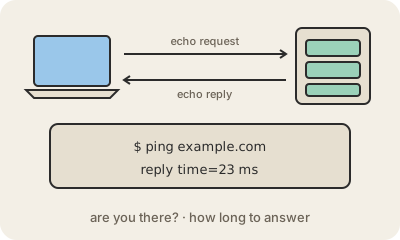
Ping is the simplest test of a network connection. Your computer sends a tiny message to another machine, basically "are you there?", and waits for the echo. If a reply comes back, the other side is reachable, and the time it took, shown in milliseconds, tells you how long a round trip takes. The name comes from the sound of sonar, which works the same way.
Technically, ping sends an echo request using ICMP, a helper protocol of the internet meant for control and error messages, and the other machine answers with an echo reply. You can try it yourself: open a terminal and type ping example.com. Each line shows one reply and its time; if some replies never arrive, packets are being lost somewhere along the way.
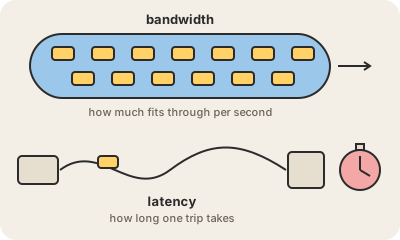
In everyday speech, "ping" also means that delay itself. Gamers complain about "high ping" when their moves reach the game server late, and speed tests show it next to download speed. A good ping depends on distance and on the network: a nearby server answers in a few milliseconds, while one on another continent takes much longer, because even light in a fiber needs time to travel. One caution: some servers and firewalls are set to ignore pings, so no answer does not always mean the machine is down.
Keep in mind
- Sends a small echo request and waits for the reply.
- The round-trip time, in milliseconds, measures the connection's delay.
- Missing replies point to packets being lost along the way.
- No answer may just mean the server is set to ignore pings.