Two-factor authentication
A second proof that you are you, so a stolen password alone is not enough.
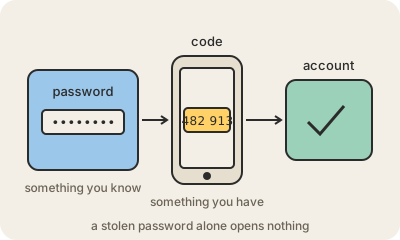
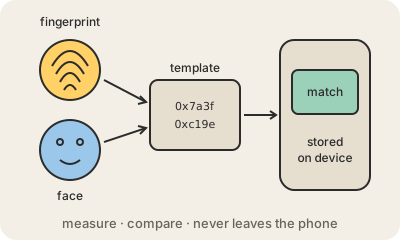
Two-factor authentication (2FA, or MFA when there can be more than two) means logging in with two different kinds of proof: something you know (a password) plus something you have (your phone, a hardware key) or something you are (a fingerprint, your face). A password can be guessed, leaked or phished from across the world. Your phone cannot, at least not as easily.
In practice: you type your password, and the service asks for a six-digit code from an authenticator app, a tap on a notification, or a touch on a small USB key. Codes sent by SMS also count, but they are the weakest option, because attackers can take over a phone number by convincing the carrier to move it to a new SIM.
The strongest and most convenient option today is a passkey or hardware key: it only works on the real site, so a phishing page cannot ask you for it. For the rest, an authenticator app (Google Authenticator, Microsoft Authenticator, or the one inside your password manager) is a solid default.
Practical takeaway: turn it on for your email account first, because the email is what resets every other password. Then your bank, your main social network and your work accounts. Save the backup codes somewhere safe, so that losing your phone does not mean losing the account.
Keep in mind
- Two different kinds of proof: know, have, are. A second password is not a second factor.
- Authenticator apps and hardware keys beat SMS codes; SMS still beats nothing.
- Passkeys and hardware keys resist phishing because they only answer the real site.
- Enable it on your email first: it is the account that resets all the others.
Go deeper
- What is two-factor authentication? (Cloudflare Learning Center)
- Multi-factor authentication on Wikipedia